

Introduction
This tutorial shows you how easy it is to complete a tenancy variation on Keyhook. We will guide you through each step, from initiating the variation to finalising the changes in your tenancy agreement. Whether you're adjusting the number of residents or making other modifications, this guide will help you navigate the process with ease.
How to instructions
1. Initiate Tenancy Variation
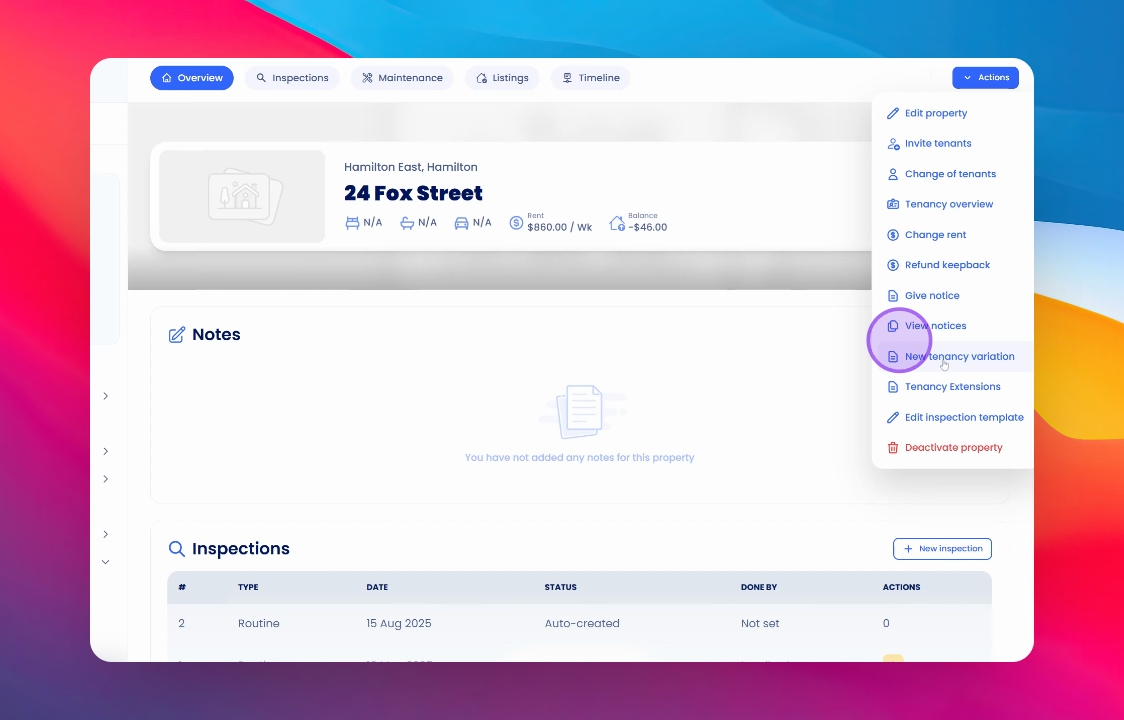
Begin by going to the property and clicking on the Actions button. From there, select New Tenancy Variation.
Note: Ensure you have selected the correct tenancy if historical tenancies exist.
2. Understand Tenancy Variation
A tenancy variation is utilised to make changes to the existing tenancy agreement.
3. Review Title Changes
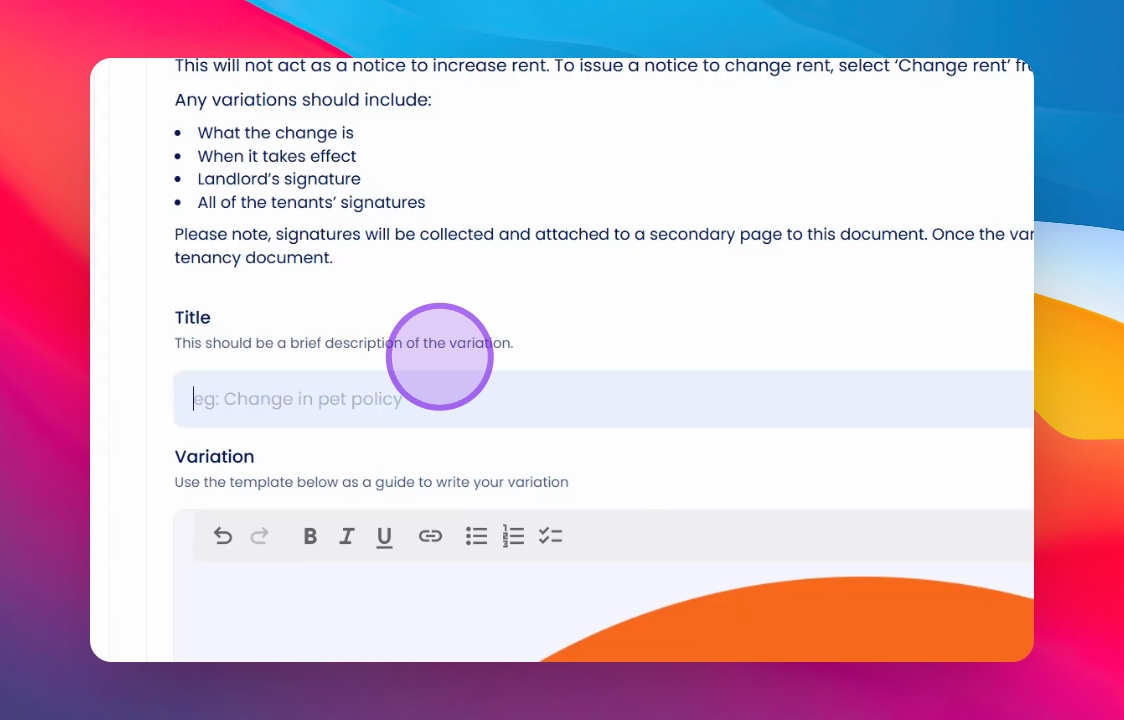
Please enter the title carefully, as it indicates what you are about to change.
4. Specify Changes
In this instance, we are changing the number of people allowed to reside in the property.
5. Enter Details
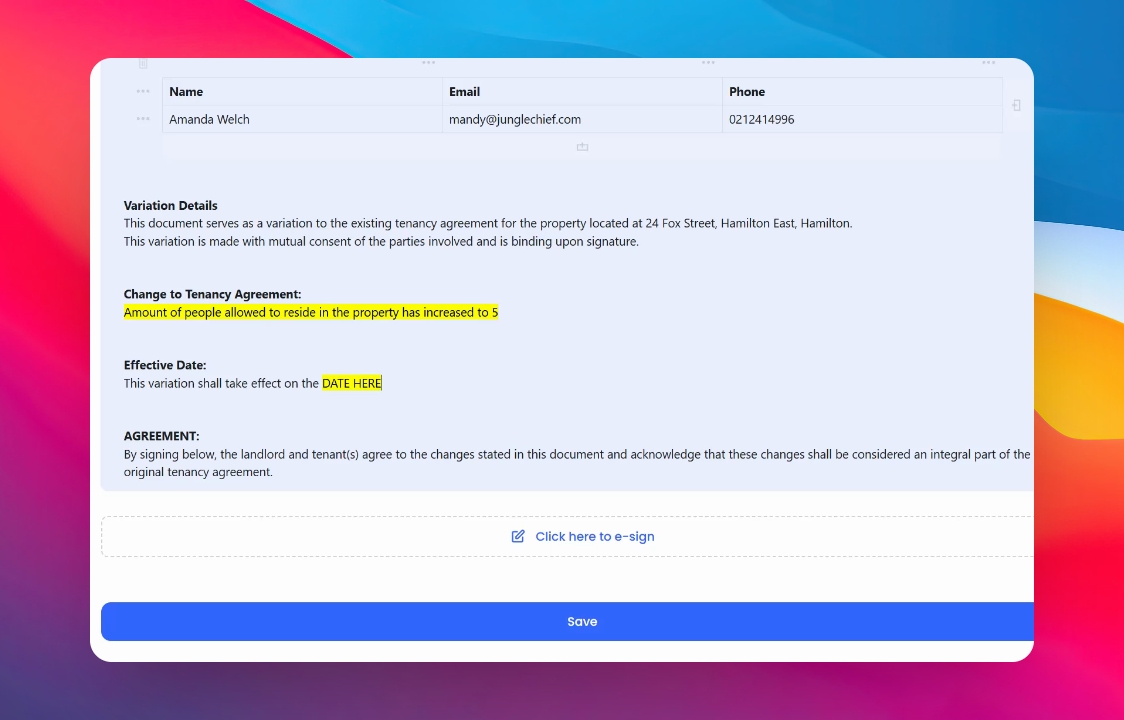
Scroll down to the Change to Your Tenancy Agreement area. Here, type in the change you are about to make, include the effective date, and then e-sign.
7. Save Changes
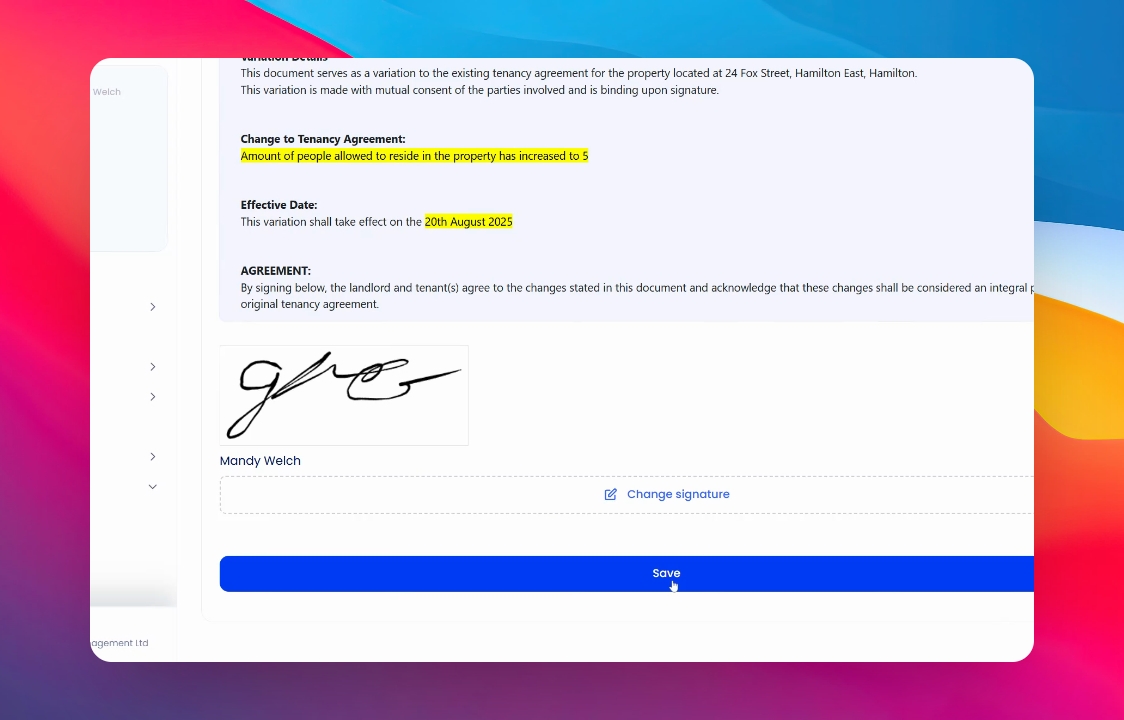
Finally, save the changes. The updated tenancy variation will be sent out accordingly.
Conclusion
By following these steps, you can successfully complete a tenancy variation and ensure that your tenancy agreement reflects the necessary changes.